
BRAND GUIDELINES
MixPay Brand Guidelines
Resources and rules for using the MixPay brand in your products and marketing materials.
Colors
MixPay uses colors purposefully to communicate how things function in the interface. This helps us create visual patterns that can make interacting with our product easier and more predictable for merchants.
Brand Blue
#164AFF
rgb(22, 74, 255)
Dark
#062259
rgb(6, 34, 89)
For printing materials
#004098
CMYK(100%, 80%, 0, 0)
Brand Mark
The ideal presentation of our logo is full color. This version works best on a white or light background. Use the full logo whenever possible.
Logo
 On whiteOn surface
 On brand
 Avatar (circle)
Use the following logo when displaying our logo on dark backgrounds.
Mark
The MixPay mark should only be used in cases where a company icon or avatar is required (traditionally constrained to a perfect square or circle). In all other cases, use the logo.
 Default
 On brandOn brand dark
 Avatar
Clear space
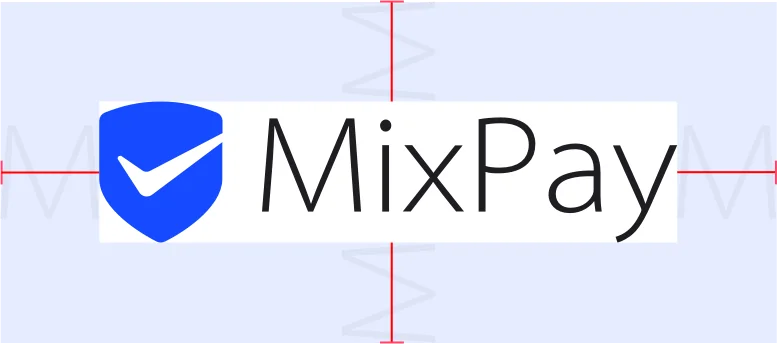
The logo must always be surrounded by open space, free from any other element. The minimum spacing is equivalent to the width of the "M" in MixPay on all four sides.
Payment Button
After the user has chosen MixPay as a payment method, the following button should be used. Ensure the checkout button matches the width and height of your standard checkout button.
For checkout
For checkout — Use this button in your checkout experience.






Coins & wallets



Multiple cryptocurrencies accepted




For donations
For donations — If you accept donations as a nonprofit organization, use this button in your checkout experience.
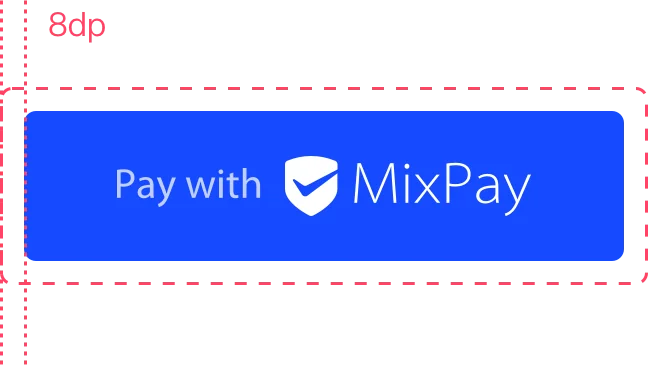
Always maintain the minimum clear space of 8dp on all sides of the payment button. Ensure the clear space is never broken with graphics or text.
Payment Mark
Use this graphic to communicate that MixPay is an available payment option when showing other payment options in a similar manner.
Primary marks


Card style

Dark mode


Adjust the height to match the other brand identities displayed in your payment flow. Don't make the MixPay mark smaller than other brand identities.
MixPay in Text
Do
Capitalize correctly
Always use an uppercase "M" and an uppercase "P" followed by lowercase letters. Don't capitalize the full name "MIXPAY" unless it's to match the typographic style on your website.
Don’t
Don’t abbreviate
Always write out the words "MixPay." Don't abbreviate.
Do
Match your website style
Set "MixPay" in the same font and typographic style as the rest of the text on your website. Don't mimic MixPay's typographic style.
Don’t
Don’t translate
Always write "MixPay" in English. Don't translate it into another language.
Download brand assets
SVG, PNG, and source files. Use the bundle for the full kit, or pull just the asset you need.