
Written by MixPay
April 6, 2023
The MixPay Dashboard only supports adding the "Administrator" role and does not currently support adding more functions.
The process for adding an administrator is as follows:
-
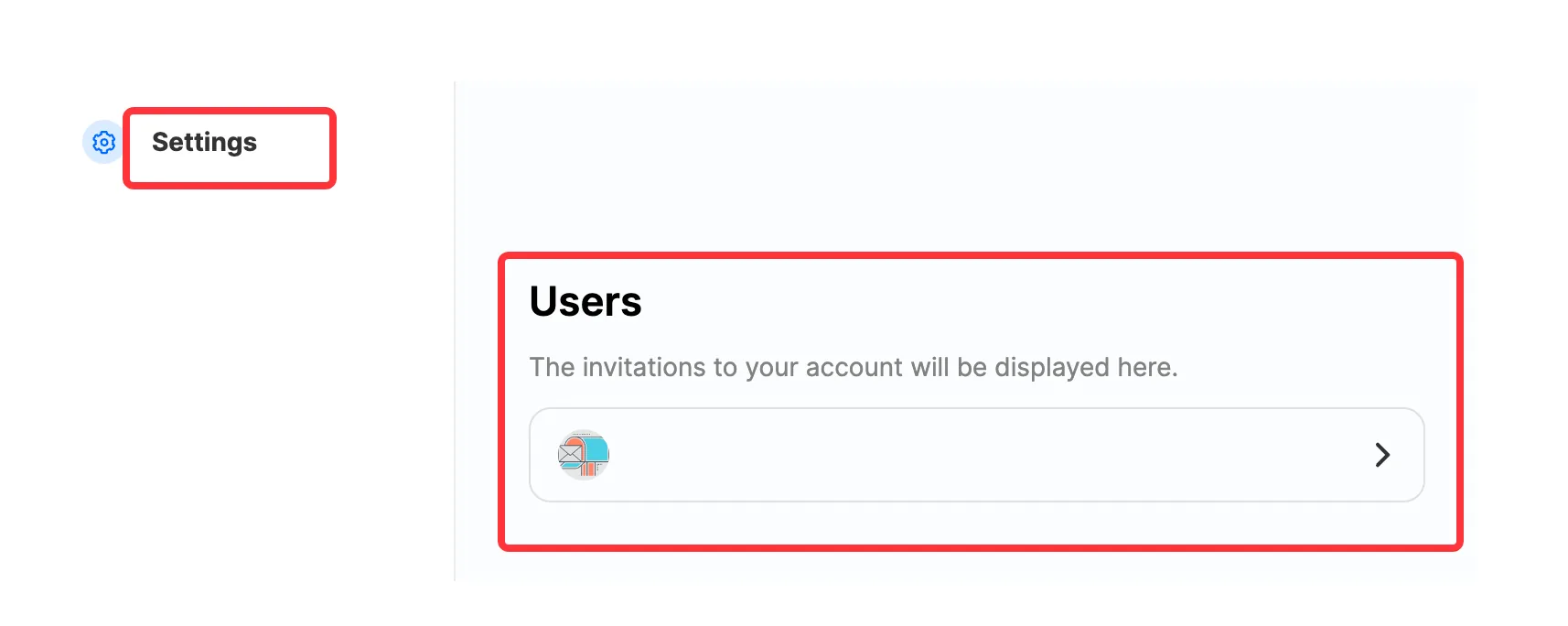
Find the "Users" module in the "Settings" menu.
-
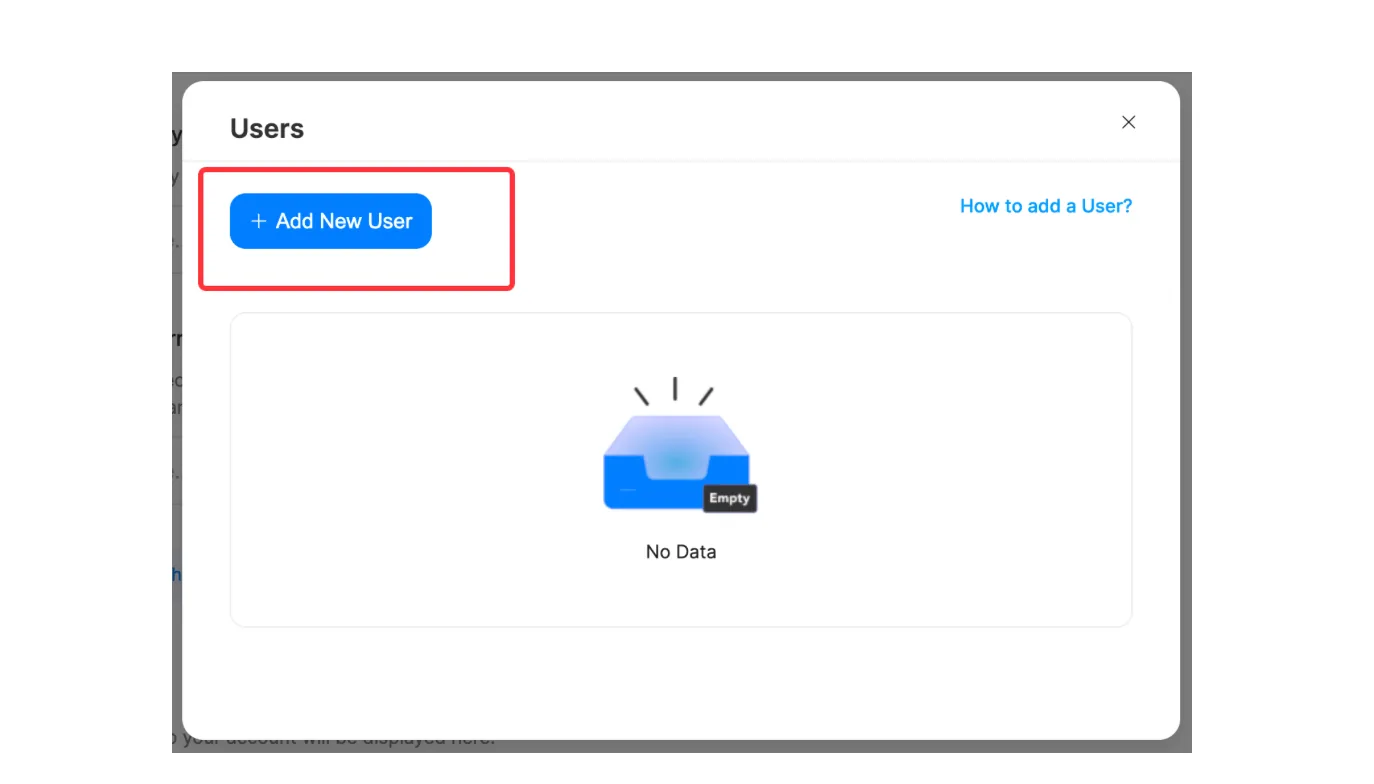
After entering, click on "Add New User."
-
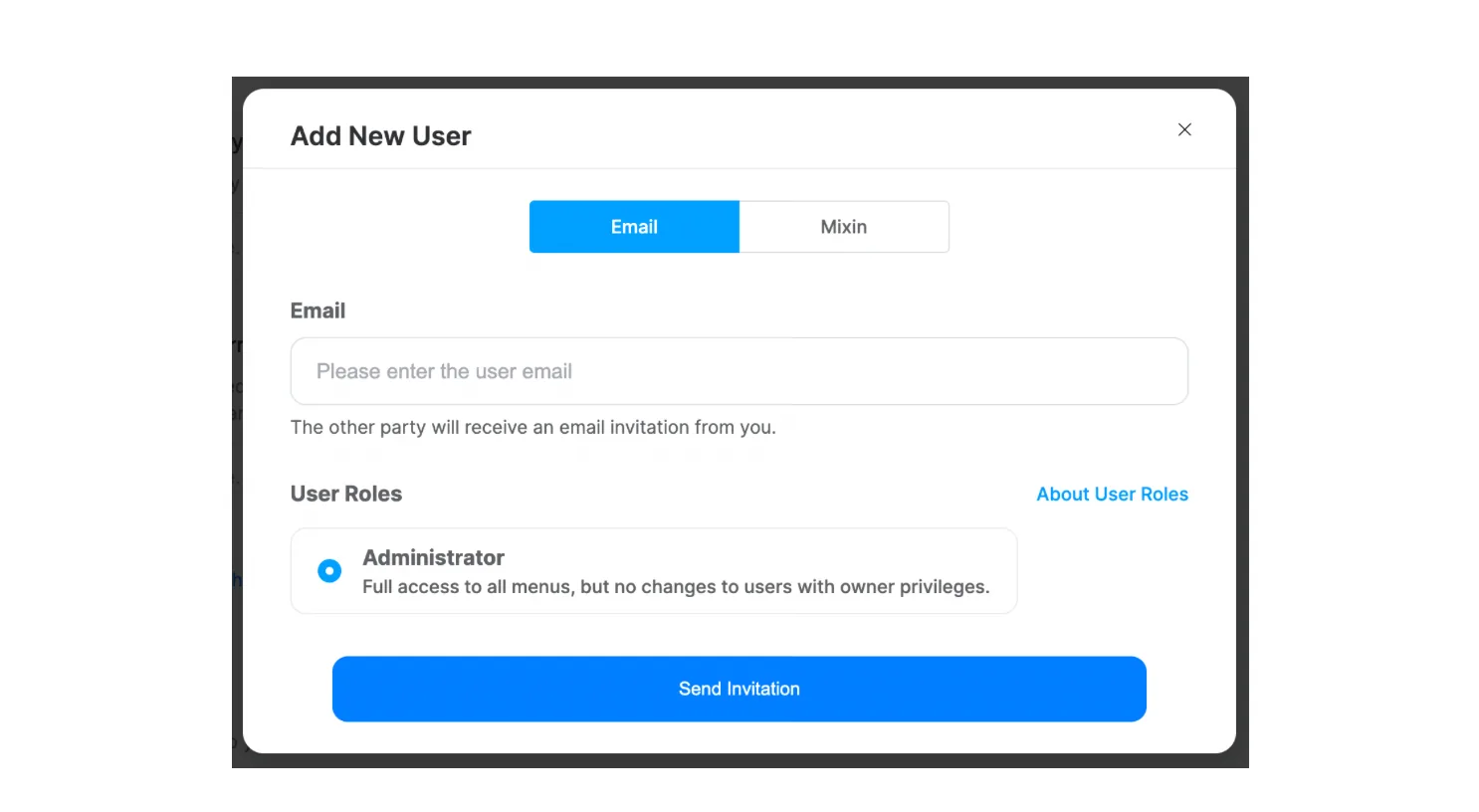
Choose the invitation method, either "Email" or "Mixin." Enter the recipient's email address or Mixin ID, then click "Send Invitation."
-
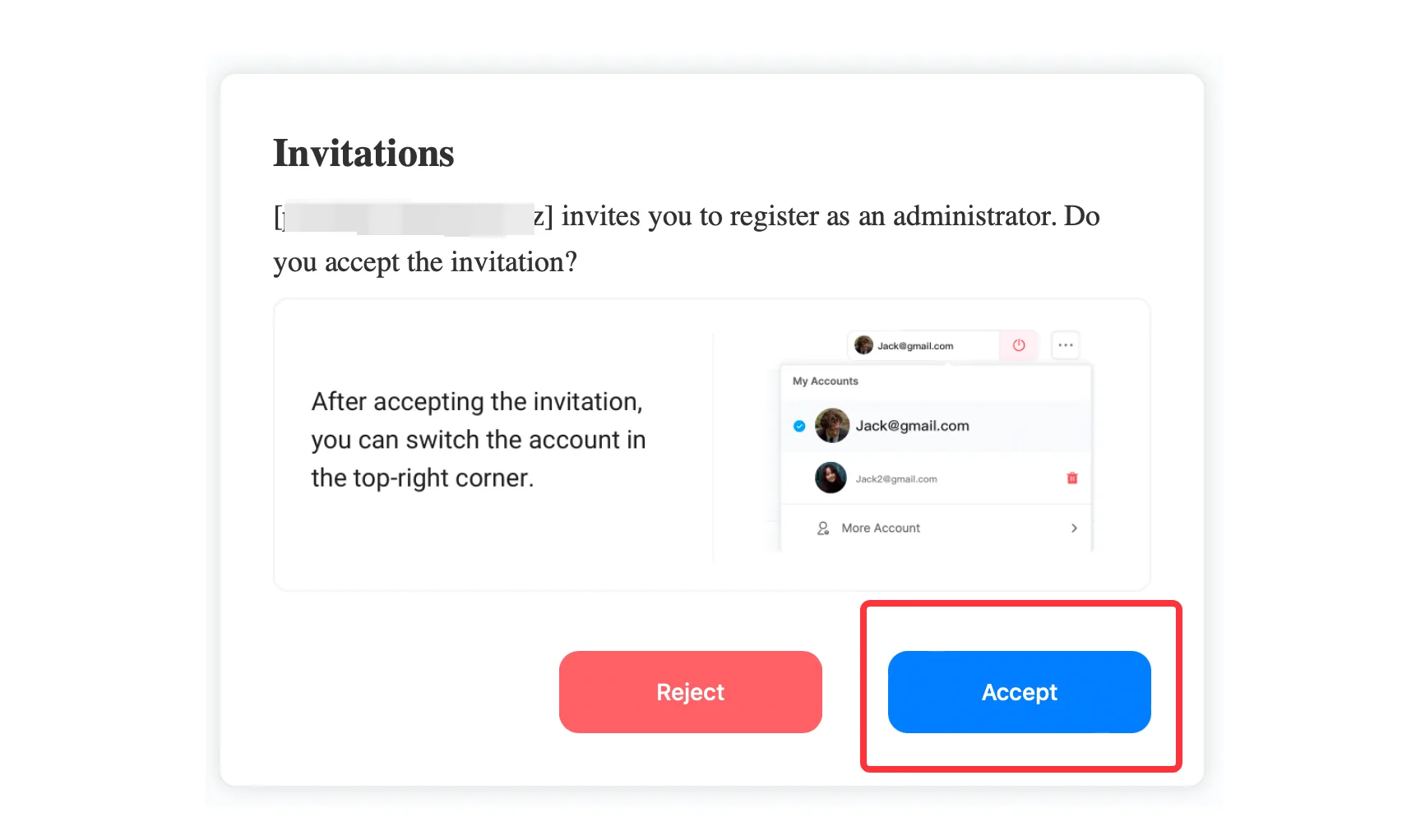
The recipient will receive an email notification or a Mixin notification. After logging in to their account, they should select "Accept."
-
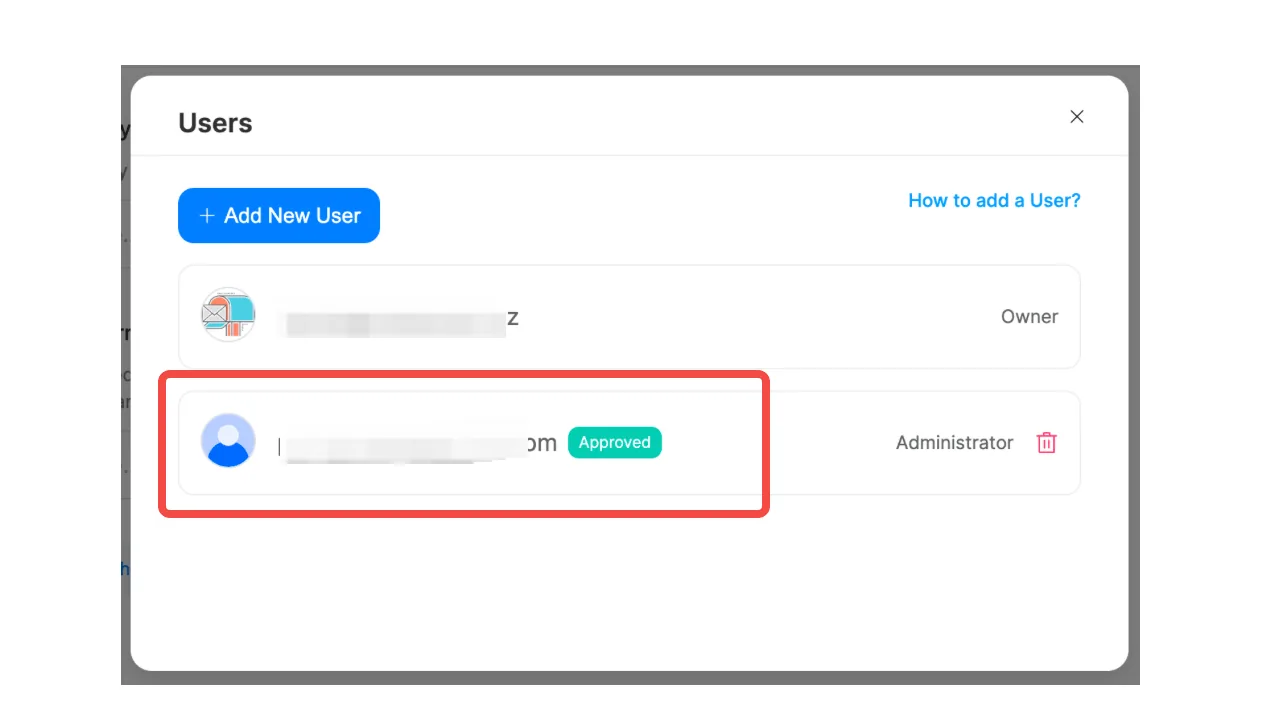
In your list of administrators, you will see the status of the recipient who has accepted the invitation.
Tips:
For more account management-related questions, please refer to the Account Settings FAQ.
This article was migrated from the MixPay help center on 2026-04-26. Talk to support if anything is out of date or you didn’t find what you needed.