
Written by MixPay
April 7, 2023
-
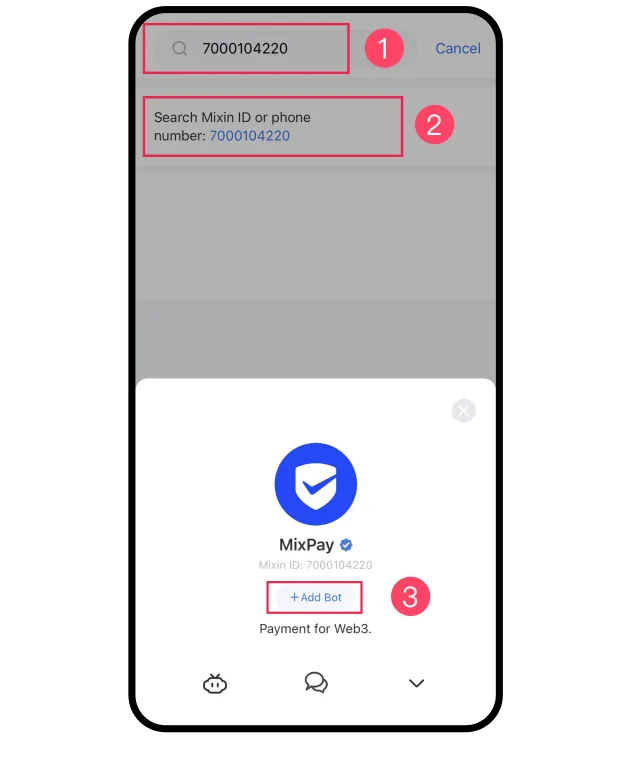
First, please ensure the person you invite has installed Mixin Messenger. Then, search for 7000104220 and follow MixPay.
-
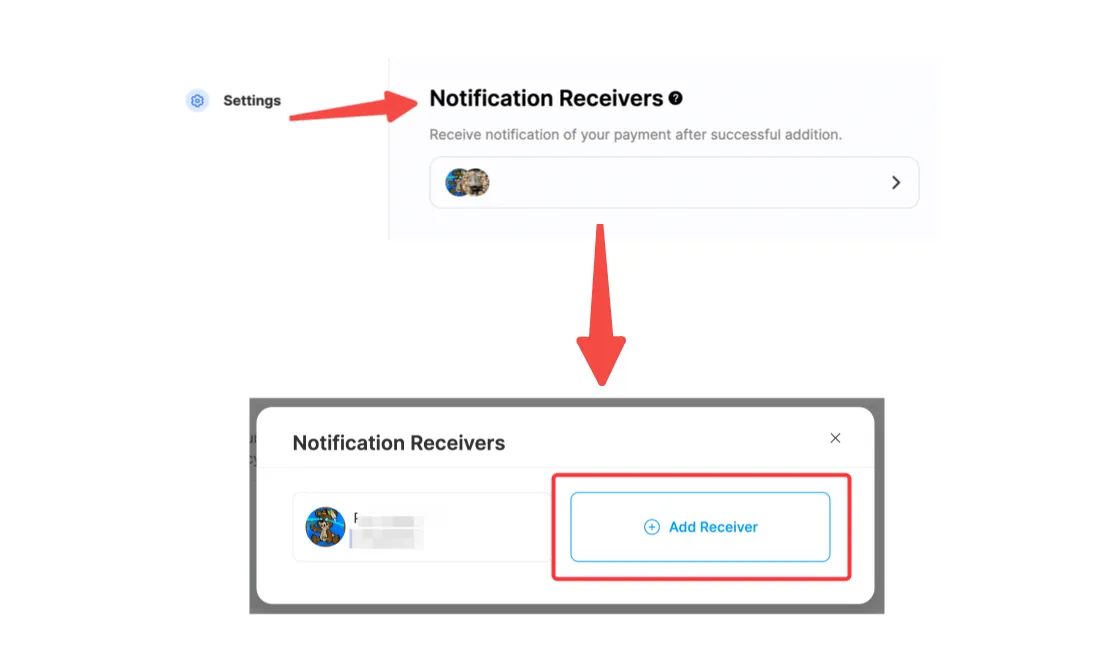
In the Settings module, locate Notification Receivers and click "Add Receiver" after entering.
-
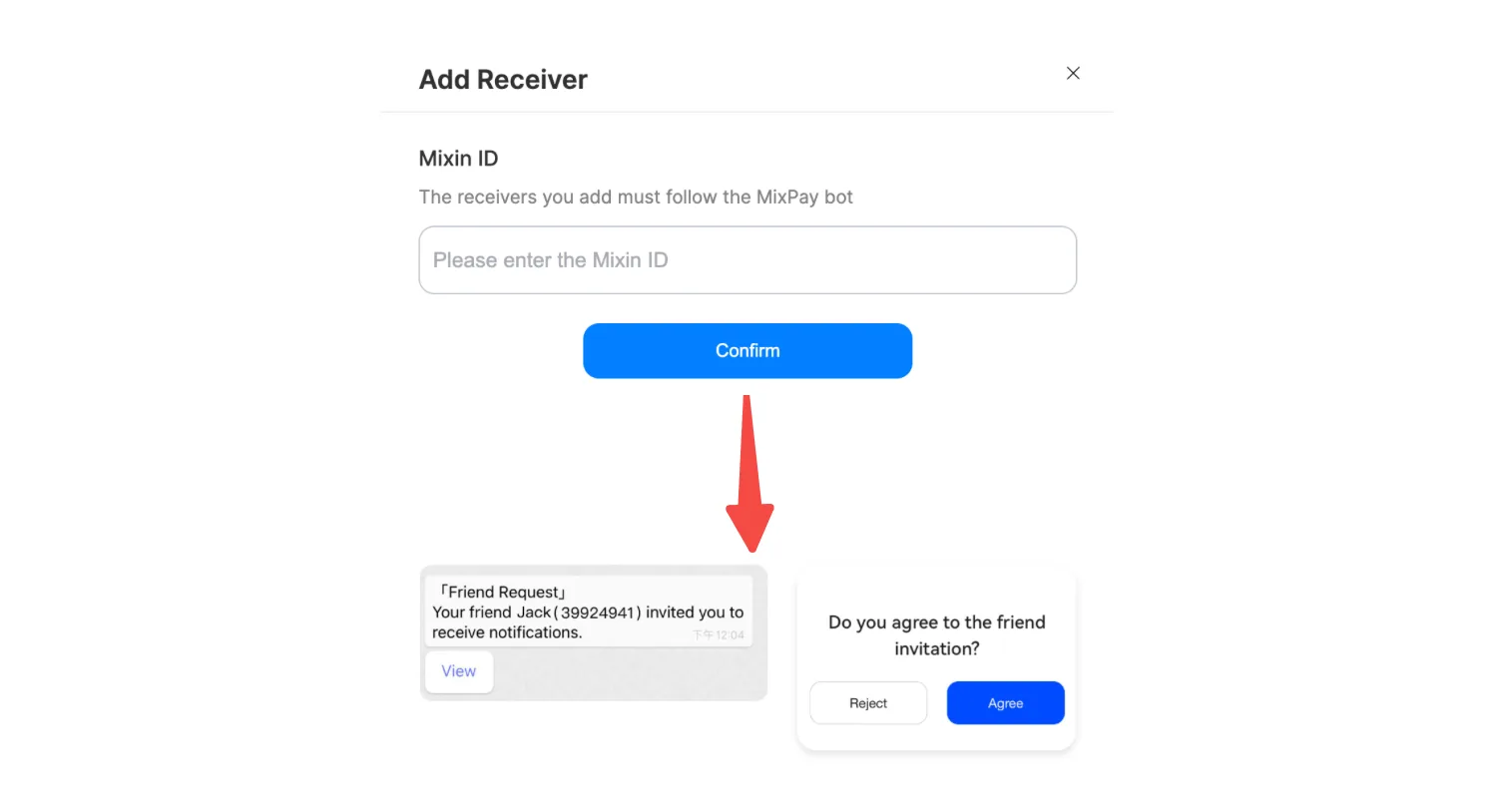
Enter the other party's Mixin ID and send the invitation. The recipient will receive your invitation and then click "Agree."
-
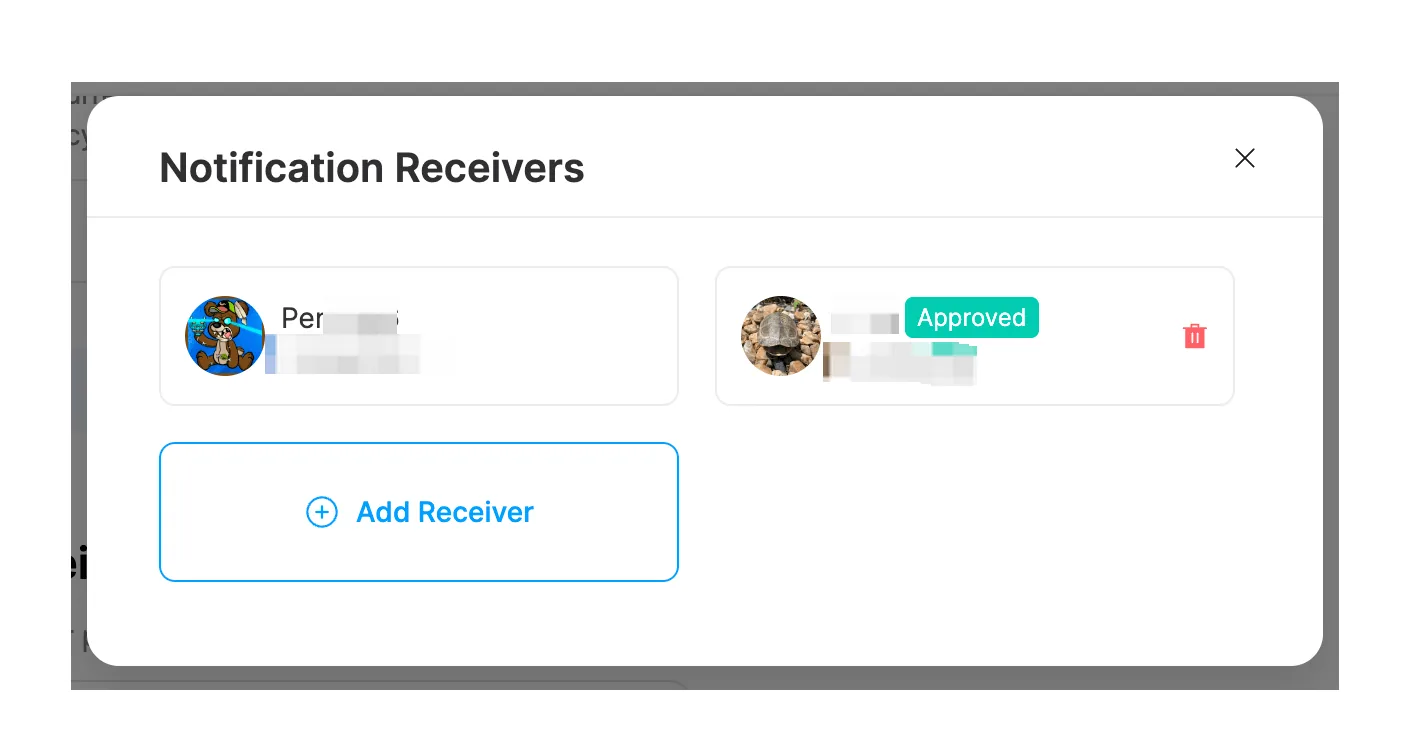
Once the recipient has accepted your invitation, their status on your invitee list will be displayed as "Accepted."
Tips:
For more account management-related questions, please refer to the Account Settings FAQ.
This article was migrated from the MixPay help center on 2026-04-26. Talk to support if anything is out of date or you didn’t find what you needed.