
Written by MixPay
April 21, 2023
After logging into MixPay through Mixin Messenger or the MixPay Dashboard, create your permanent payment link and download the payment QR code.
Then, when customers make purchases at your retail store, they can scan the QR code to pay with cryptocurrency.
Here are the specific steps to follow:
-
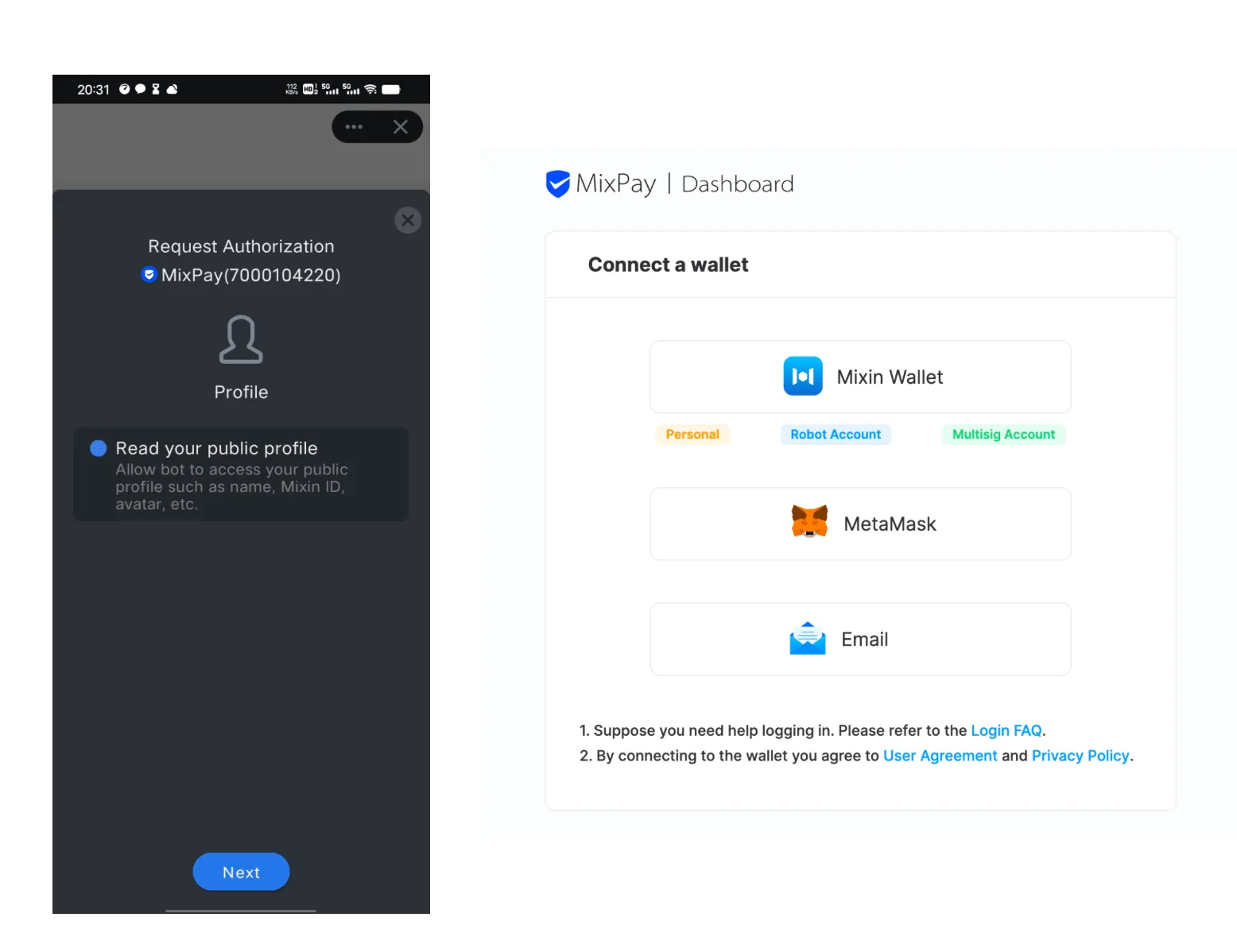
Log into MixPay using Mixin Messenger or the MixPay Dashboard.
-
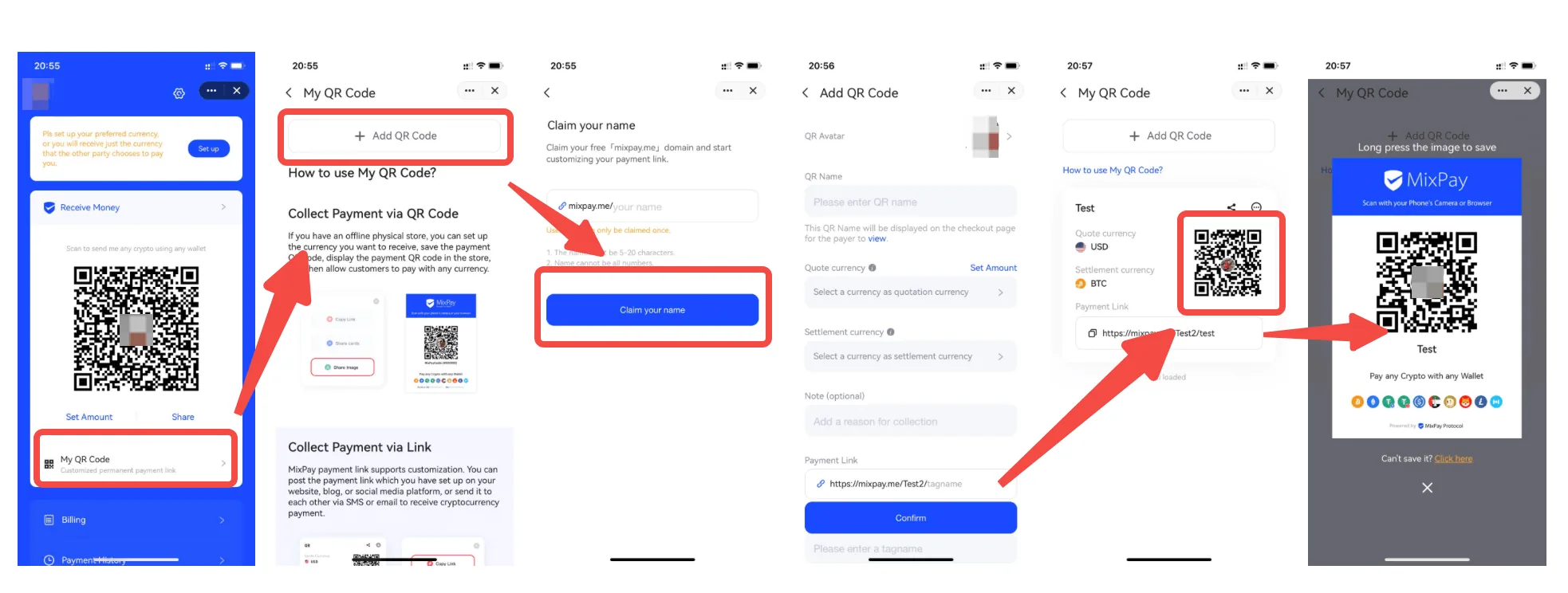
Create a permanent payment link and download the QR code to display in your retail store.
-
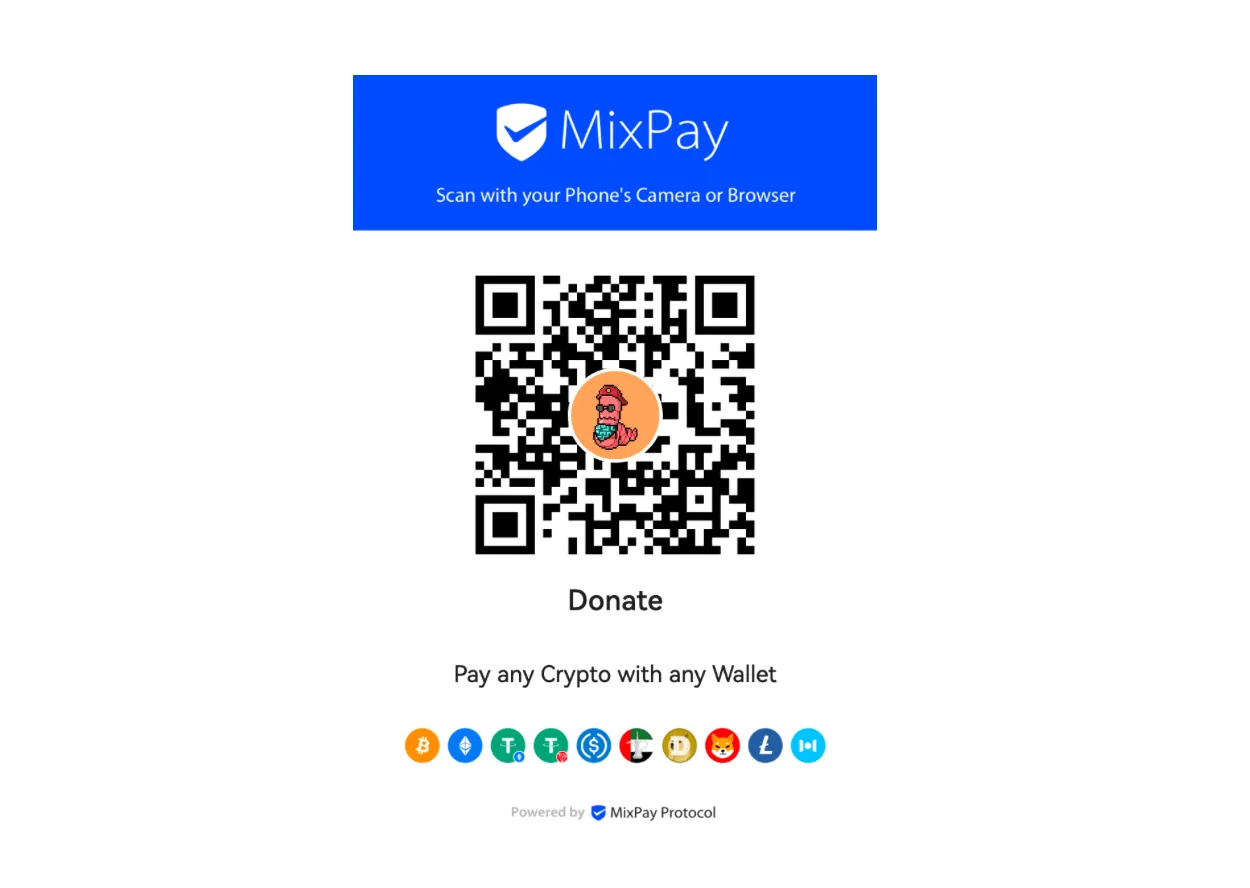
Customers can scan the QR code and complete payment on the MixPay Checkout Page, and you will receive a payment success notification from MixPay.
-
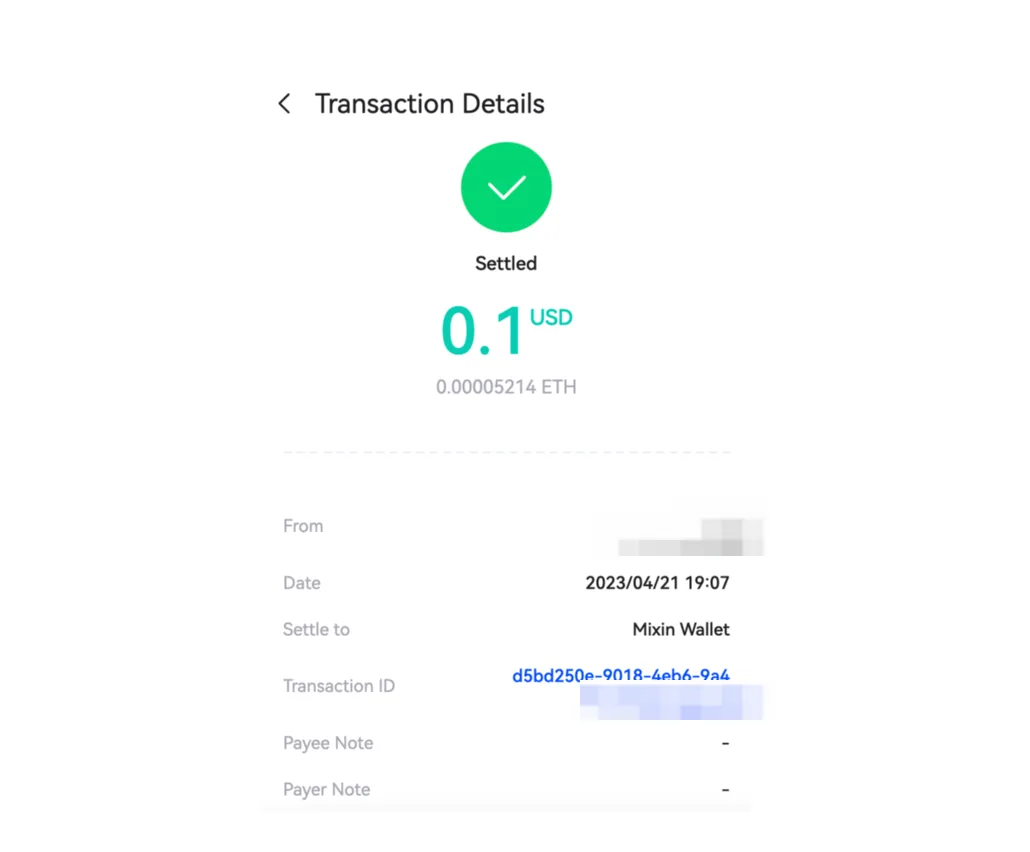
Once the settlement is completed, your wallet will receive the cryptocurrency payment.
For information on withdrawing funds, please refer to the following:
This article was migrated from the MixPay help center on 2026-04-26. Talk to support if anything is out of date or you didn’t find what you needed.