
Written by MixPay
April 4, 2023
This feature is only supported when logging in with an email.
The MixPay Dashboard Wallet supports withdrawals to any on-chain wallet address.
The specific operation process is as follows:
-
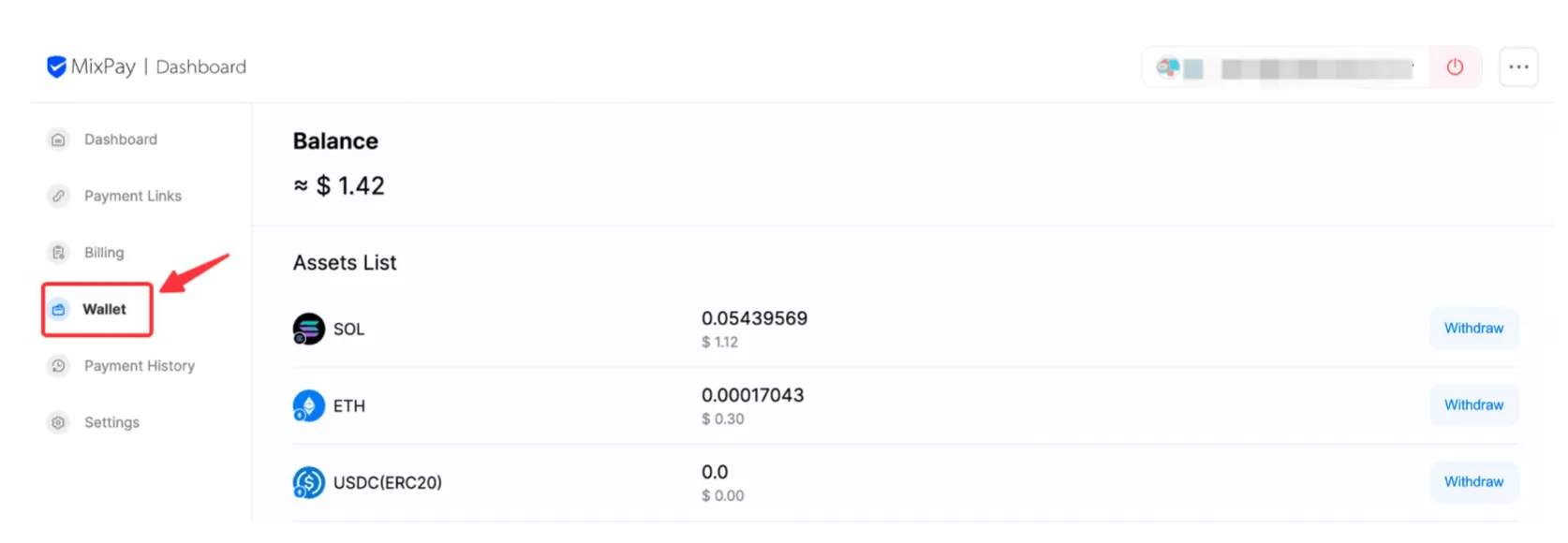
Login to the MixPay Dashboard and click "Wallet" to view your assets.
-
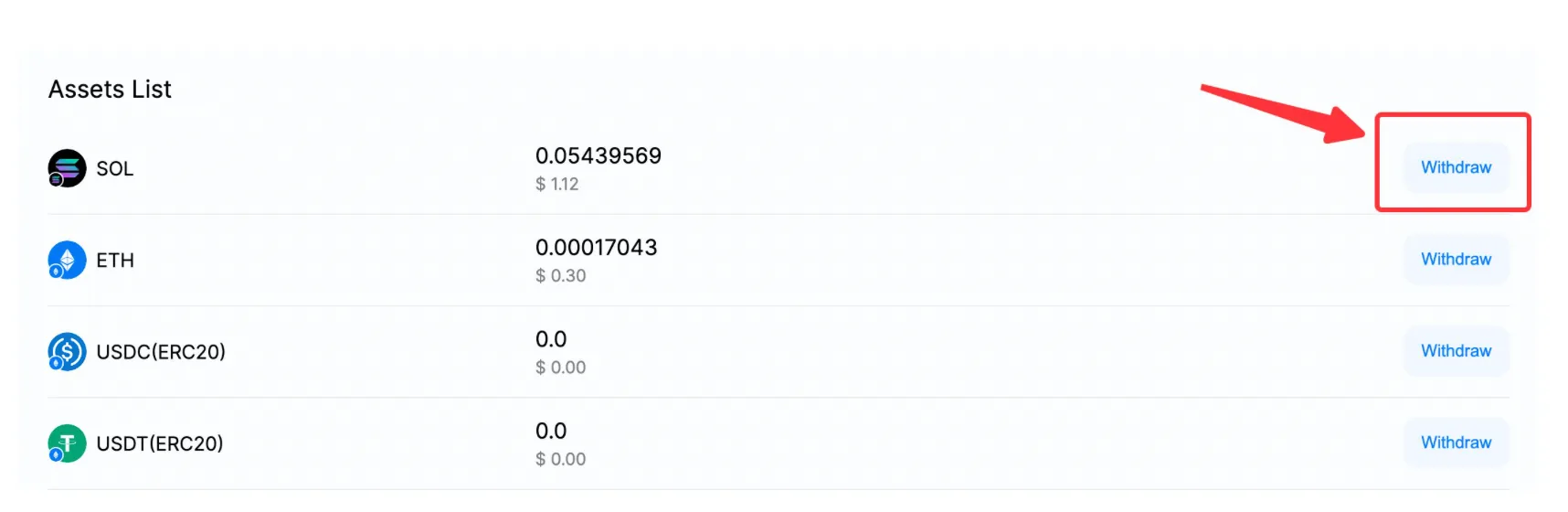
Choose the asset you want to withdraw and click "Withdraw."
-
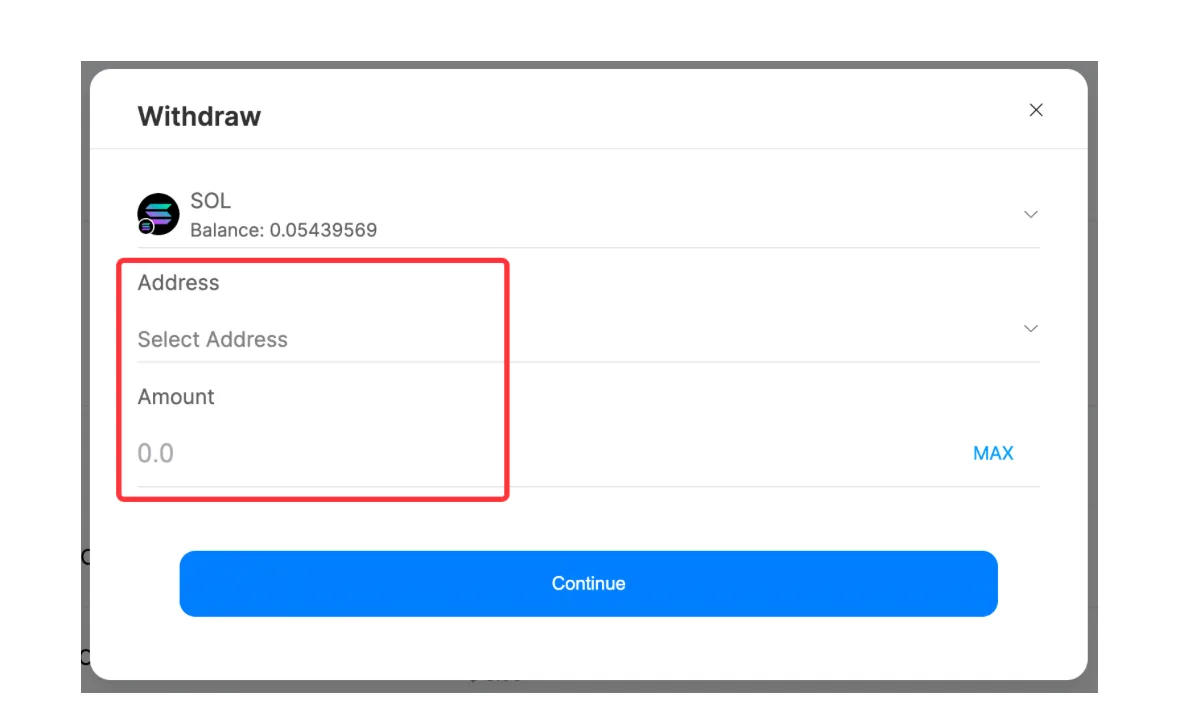
Select the withdrawal address (First-time withdrawals require adding an address), enter the withdrawal amount, and click "Continue."
-
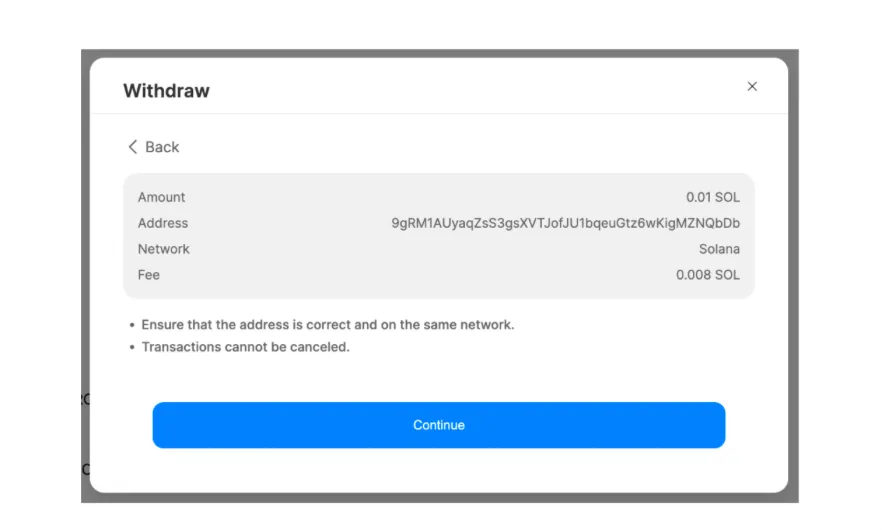
Review your withdrawal information again, and if everything is correct, click "Continue."
-
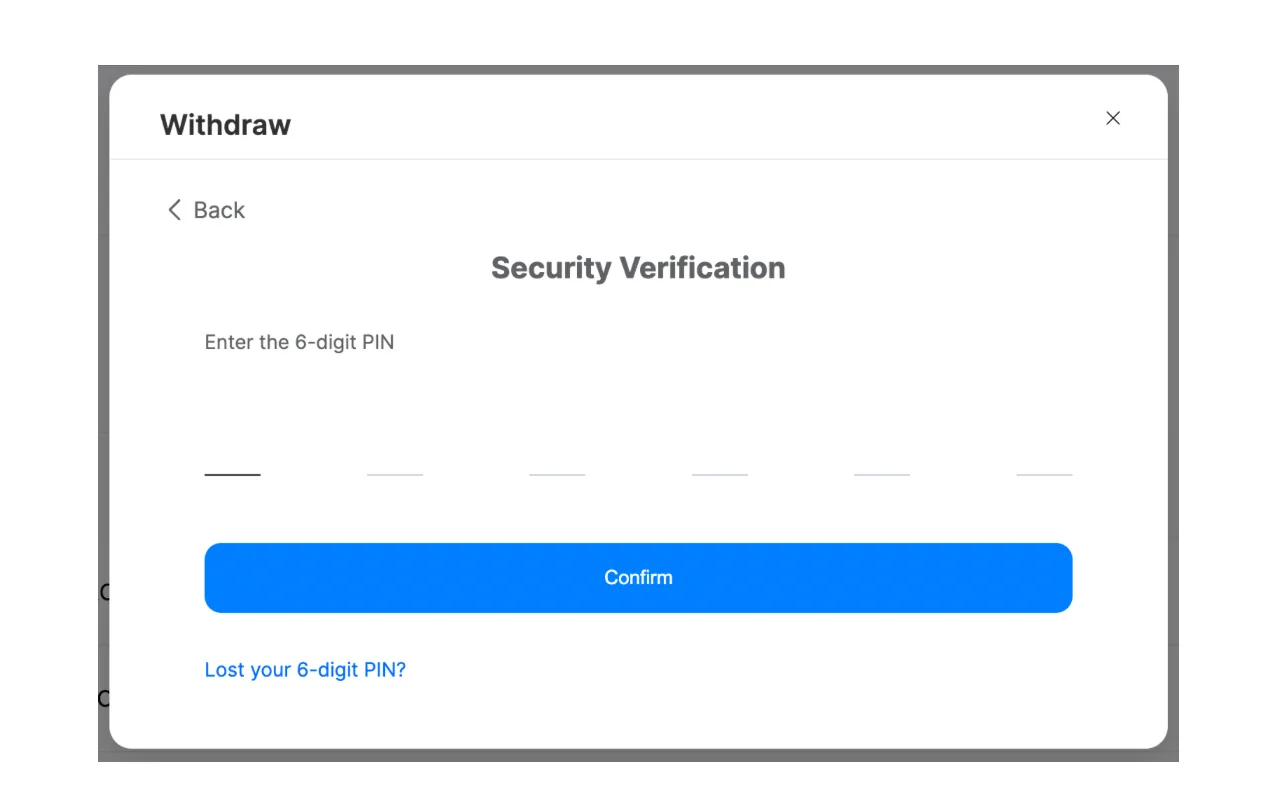
Enter your 6-digit PIN, and the withdrawal will be successful once verified.
For more wallet questions, please refer to: Wallet FAQ
This article was migrated from the MixPay help center on 2026-04-26. Talk to support if anything is out of date or you didn’t find what you needed.