
Written by MixPay
April 4, 2023
This feature is only supported when logging in with an email.
-
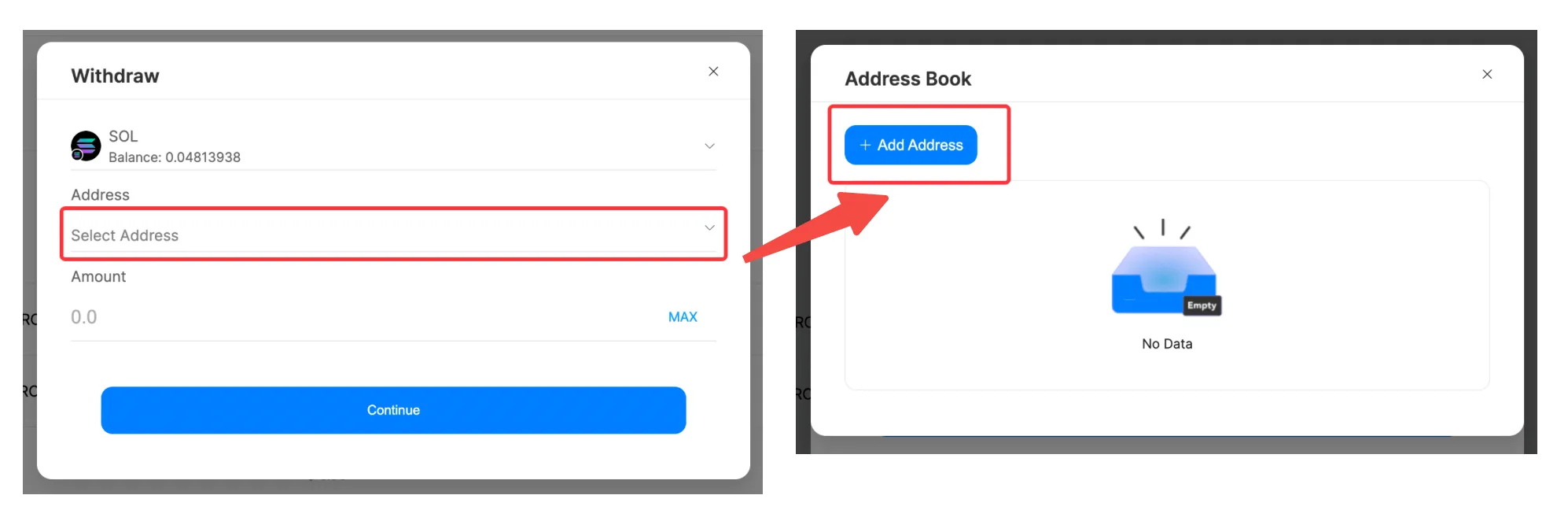
When withdrawing, click "Select Address" to view the Address Book, and then click "Add Address."
-
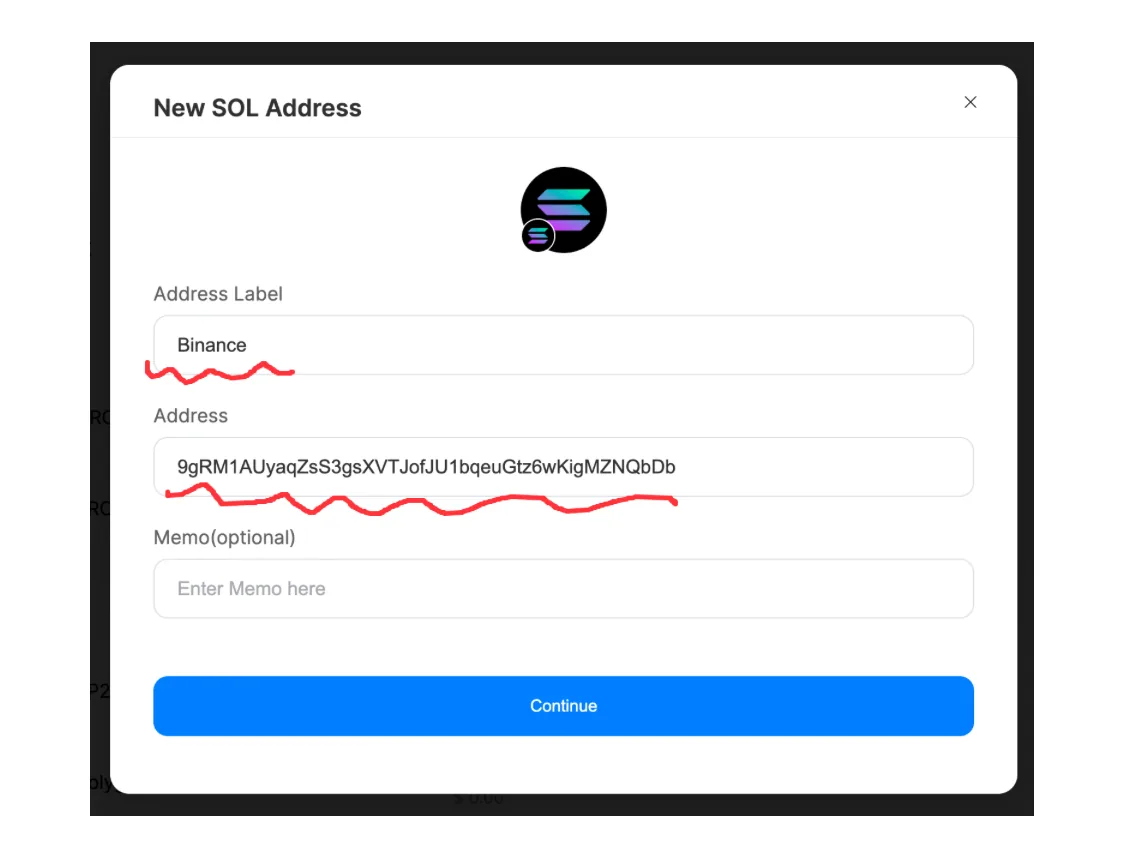
Begin adding the address, and keep the following points in mind:
-
Address Label is a label for the lesson, e.g., Binance, MetaMask.
-
When entering the address, please ensure that the address is correct and that the withdrawal network matches.
-
The memo is optional and only required for some specific cryptocurrencies during withdrawal, such as EOS.
-
-
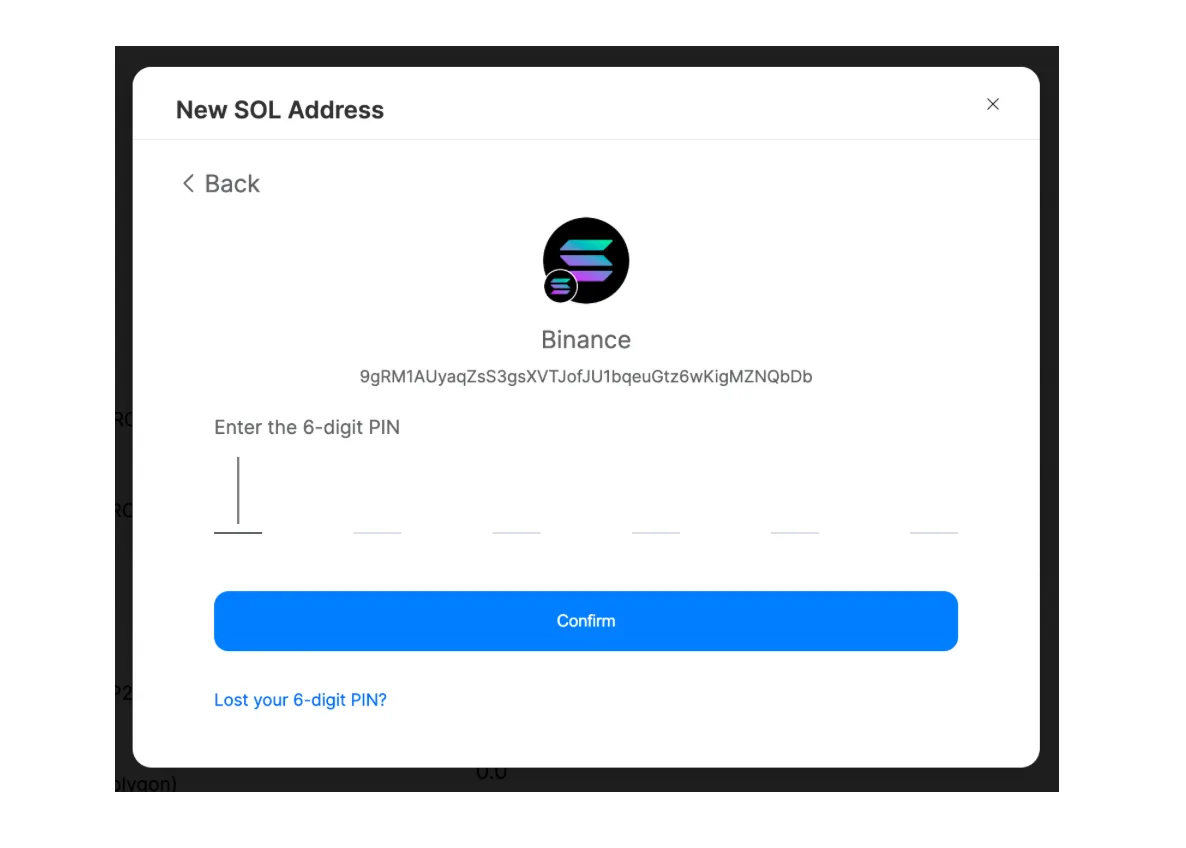
After successfully verifying your 6-digit PIN, the address addition will be completed.
For more wallet questions, please refer to: Wallet FAQ
This article was migrated from the MixPay help center on 2026-04-26. Talk to support if anything is out of date or you didn’t find what you needed.